
Human-Centred Design
Living research: Put your design research back to work with AI

Research has a problem, and it isn’t new.
Design research is treated as a one-off. When the project ends, so does the research. The next project starts from scratch, and the organization pays again to learn what it may already know.
As AI speeds up design and development, research, starting from zero every time, starts to look like a bottleneck. When something looks like a bottleneck, it’s tempting to cut it.
We tested that temptation ourselves. In a recent OXD project, we set out to rethink, with AI, how we design and build digital tools. We started from one principle: nothing is sacred. We would consider cutting or changing anything from our old workflow. We quickly learned that research was non-negotiable. Without it, we didn’t know where to begin, what’s important, or what problem we were trying to solve.
Research became the foundation of our experiments, the context AI tools need to know what to do next.
So how do we keep research at the foundation of the work without letting it hold the work up?
Synthetic users aren’t your audience
One answer is to replace the humans who use your services with AI-generated “synthetic users”. Most researchers I know hate the idea, and I understand why. But I think synthetic users have a place in today’s design work. They can act as a brainstorming partner, an extra set of eyes, or something to bounce ideas off of. Having a synthetic user do a first pass on a design can help designers refine it faster. It’s not that different from asking Claude or Copilot to review an early draft of a presentation.

But an artificial stand-in built from all the world’s data isn’t a replacement for research with the people who rely on your services.
Synthetic users don’t know your context. They’ve never had to use your existing services and tools. They don’t have the range of opinions and needs that people do. They aren’t human; your audience is.
As Jakob Nielsen said in a recent article:
“Use synthetic personas to widen the funnel at the start, then test the surviving concepts on real users. Diverge with silicon; validate with carbon.”
I would add a step before that:
- First, decide what to build by talking to humans
- Then, diverge with silicon users
- And finally, validate with humans
Synthetic users know a little about everyone. Your research knows a lot about the people you serve. The hard part is getting the knowledge in front of decision makers before they decide.
Research you can talk to
Instead of relying on synthetic users, you can point AI at your own research. All those reports and research notes archived in SharePoint become useful again.
I call it “living research”.
Living research means putting your research data into an AI tool that answers questions using only that data. Instead of digging through a report, you ask a question. The answer comes from what people who use your services actually told you, with links back to the original interview notes, survey responses, or other research data it came from.
It’s like having your lead researcher (or that consultant who left last year) on speed dial. Except living research doesn’t forget, and it never leaves for another job.
That changes what research is for. It stops being a one-time input to one project and becomes something many projects and teams can draw on. It keeps pace with AI-accelerated design and development, because the answers are there when the questions come up. And each new round of research doesn’t start from scratch. It adds to what you already know.
Living research isn’t a replacement for research with humans. It’s a way to get more out of every round of research, past and future.
What it looks like in practice
I tested this on some recent research data, where I had interviewed people in several roles across one organization.
I already had our interview notes, tagged by role, in Dovetail, a research tool. I used its built-in AI chat to ask the kinds of questions a product owner or program manager would.

First, I asked: What are the benefits and challenges of introducing a new role dedicated to permitting work?
The AI answered with the benefits and risks, as well as how best to shape the role, including the responsibilities, decision making structure, and how to measure success. Every suggestion linked back to the original research data.
Next, I asked: What is the biggest challenge the organization is facing?
It described gaps in capabilities and accountability, and showed how those gaps looked different for each role we’d interviewed.
Finally, I asked: Which improvements will deliver the greatest value first?
It gave me a roadmap of what to fix first, why, and what should come next.
The answers aligned with my own manual synthesis of the research: there was no hallucination, no fabrication, and no sycophancy. In fact, the AI told me my original idea of creating a new permitting role should be deprioritized in favour of other, more valuable, fixes.
One source of truth
Living research doesn’t have to stop at interview data. It can draw on feedback from other channels too.
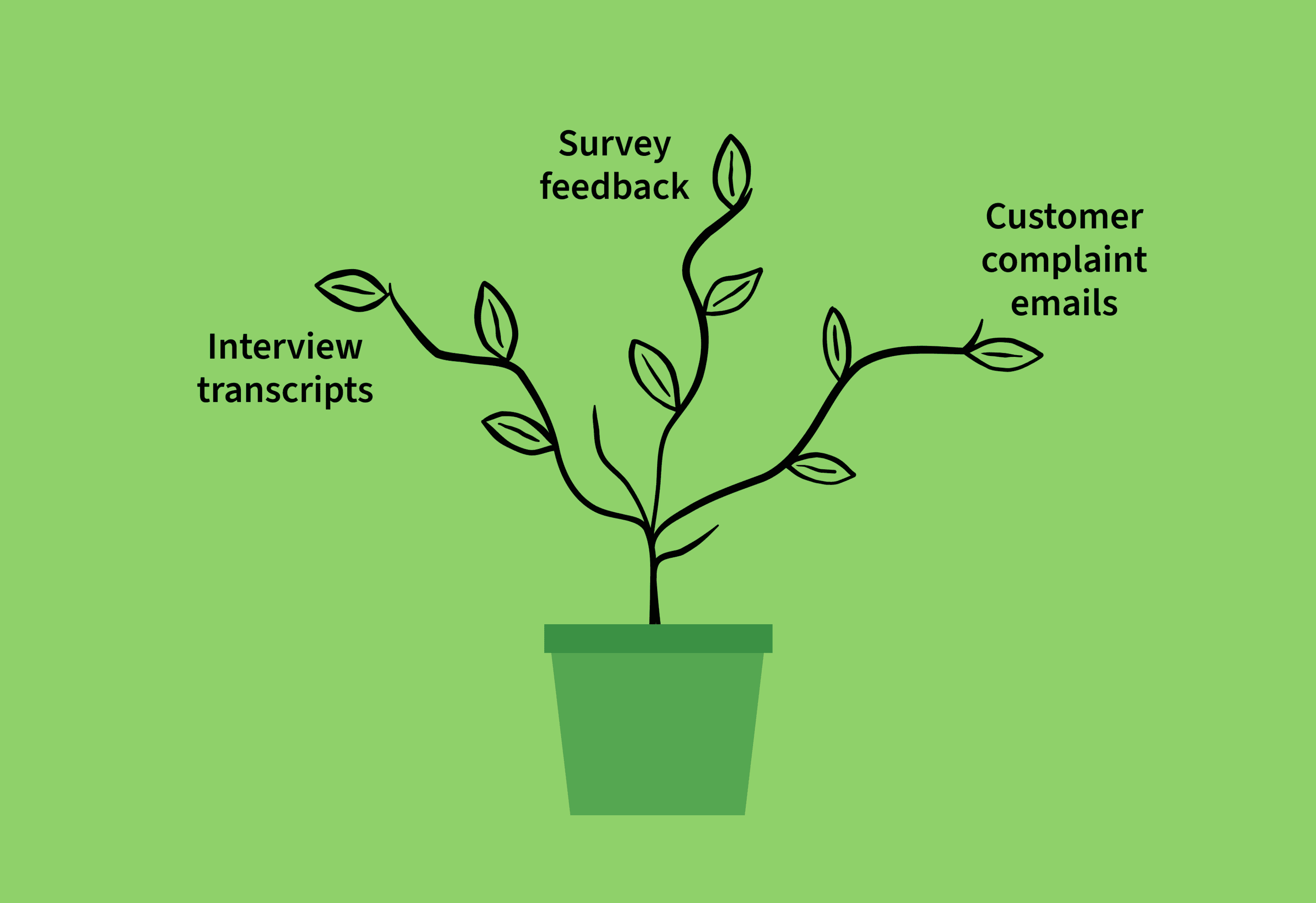
On one team I worked with recently, customer service made decisions from emails and social media. Operations made decisions from survey data. The digital team made decisions from research interviews. Each team saw only a third of the picture. Each team was solving a different version of the same problem.
A traditional repository that pulled together interview transcripts, survey feedback, and customer complaint emails would have helped. At least the evidence would be in one place. But in my experience, a research repository is often just a better-organized SharePoint folder. Everyone still relies on the researcher to know what’s there and dig through it for answers.
With living research, nobody has to wait for the researcher. Product owners, customer service reps, policy analysts, and executives can all ask questions of the same body of evidence, in plain language, and get answers back.
How to build it
If your team already uses a research repository like Dovetail, it can be as simple as uploading your interview transcripts, tagging them by role or persona, and asking questions. You can do the same in any AI tool that lets you return answers using your own data, such as Claude Projects, NotebookLM, or Copilot Studio.
Then ask the questions you’d normally put to your lead researcher:
- What’s the biggest challenge [persona] faces?
- Which improvements would deliver the greatest value first?
- What are the benefits and challenges of [an idea you’re considering]?
What to watch out for
As with any AI tool, there are pitfalls.
Sycophancy
AI still tends to agree with the person using it. If you word your questions looking for confirmation, you’ll probably get it. In my experiment, I was happy to see that it pushed back on my idea, but don’t count on that.
Ask neutral questions: “What are the benefits and challenges of this?” rather than “Do you agree that this is a good idea?”
Averages
AI tends to average things out, including your research data. That risks overlooking people whose needs differ from the average, like people with disabilities, when they’re the people we should be designing for first.
Ask for disagreement and outliers directly. When I asked what staff disagreed about, my living research told me. When I asked which views came from only one or two people, it listed them.
Data limitations
Living research only knows what’s in the data. If your original research was biased or flawed, the answers will be too. And if you haven’t asked about a topic, it can’t give you an answer.
It can tell you when it doesn’t know, though. When I asked about an audience I hadn’t interviewed, it told me what staff had said about them, and made clear we had no direct evidence from that group. When information is missing, it tells you what to research next.
Governance
Like any research repository, the underlying data needs an owner. Outdated research needs to be removed and new data needs to be added. Otherwise, you risk making decisions on irrelevant information and missing new insights as the people who use your services change.
Privacy and security
The usual privacy and security rules apply. Build living research in a secure tool approved for your context. And like any research repository, it should never include personally identifiable information.
Where to start
Research doesn’t have to be a once-per-project event. With living research, every round of interviews, every survey, and every piece of customer feedback adds to what your organization knows. Instead of one study holding up one project, research findings feed many projects and teams at once.
You don’t need a big research team to get there.
- Start with what you already have. That research sitting in a SharePoint folder? It’s your first data source.
- Plan for continuous research. Let your researchers explore beyond a single project. This builds the evidence you need to decide which projects to take on next. The evidence leads to the decision, not the other way around.
- Budget for upkeep. A researcher should own the raw data, making sure your living research doesn’t go stale.
Design research is needed now more than ever, but it doesn’t have to be a bottleneck. When it’s always on hand, it keeps up with AI-accelerated work, and every decision starts where it should: with the humans who need your services.